Apple’s next software cycle will be out on Monday. It’s not the main thing: iOS 27. And that is the result of millions of people asking Siri to do things, instead of just ask it questions.
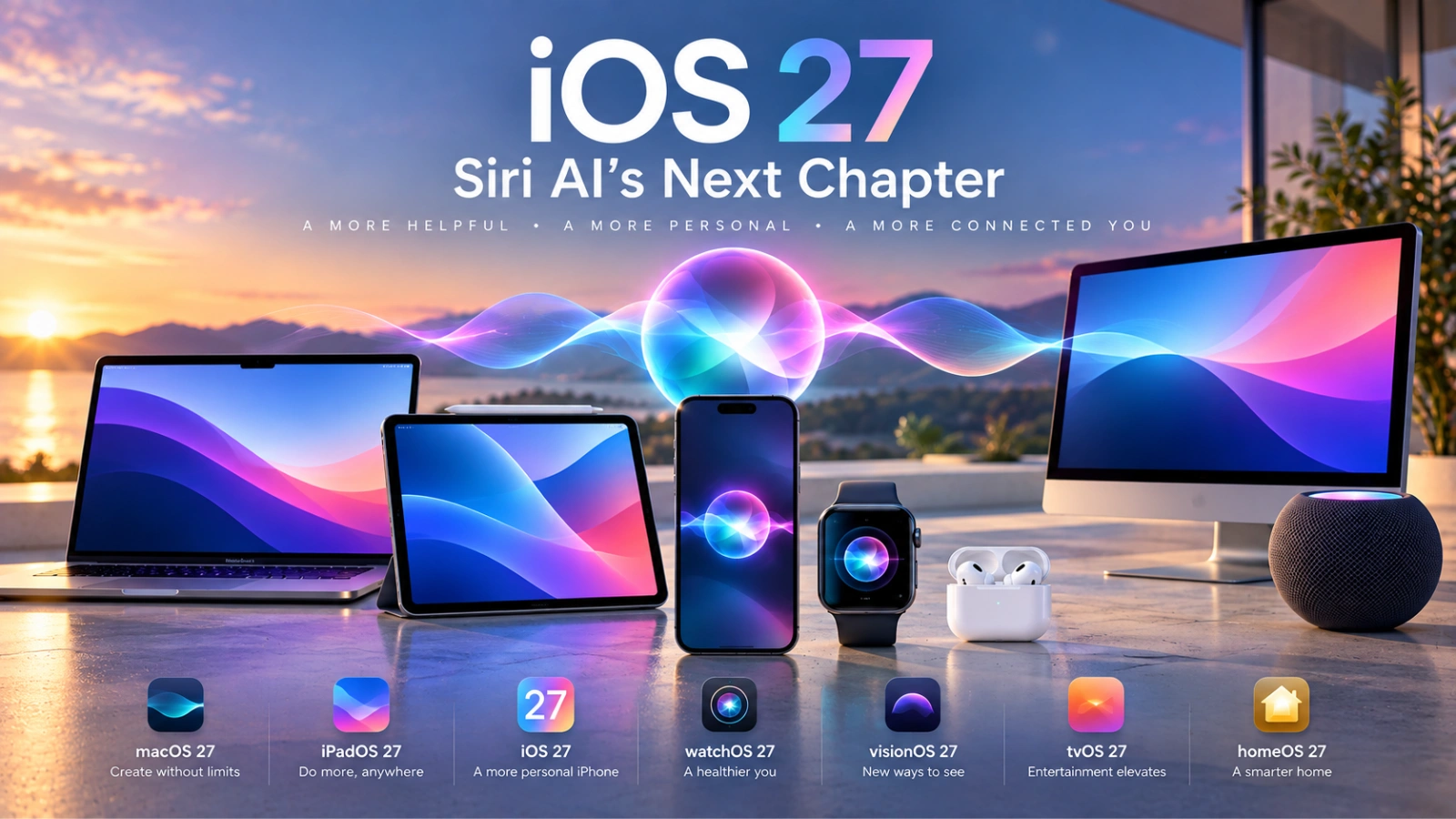
On September 14, millions of Apple devices will be instantly transformed. iOS 27 will roll out to iPhones. iPads will receive iPadOS 27. Macs will have macOS 27 Golden Gate installed. Apple Watches will be upgraded to watchOS 27.
It would be easy to see this as Apple’s yearly software update. That’s not the point. On September 14, Apple could begin to change the role of the operating system.
For years, knowing where things are has meant using an iPhone. You want to send a photo? Open the Photos or Messages app. Do you want some information from an email? Find the post. Need to book an appointment? Look at the calendar. Searching the web for something? Open Safari.
Siri AI adds another option: the user can tell the device what they want and the software will learn where the information is and what to do next. And that difference is a lot more important than any other set of interface changes.
Siri is going to the heart of the iPhone.
Siri AI is a smarter assistant that can interpret natural spoken or written requests and have access to personal context, says Apple. Apple’s own example is instructive.
You can ask Siri to write an e-mail stating the exact time range when you are available on Saturdays and offering appropriate snack choices. Sounds like a little convenience. It represents something much larger technically.
For example: you might want to understand an instruction, get personal information, calculate availability, compose content, and prepare an action in another application. The user is not manually doing each step. The interface is created by the request. That’s the part of iOS 27 to see.
On September 14, a major real-world AI experiment kicks off.
AI assistants work well in controlled environments. The daily routine is less susceptible to cooperation.
People very often self-interrupt. Names are shared among contacts. There are incomplete entries in calendars. Shorthand is used in messages. Emails contain old information. Requests are vague.
“Tell me the name of the restaurant Pavani recommended to me last week. “What afternoon do I have time before my flight?” Say to Kiran I can make the second meeting. “Where’s that paper Manoj sent me?”
A personal assistant needs more than just understanding language to be successful. Context must be enough to know the true intentions of the person.
Apple says the new intelligence system is embedded in apps, is based on personal context, and is still privacy-forward. On September 14, that proposition will run into an obstacle far more daunting than a keynote demonstration: regular people.
The first question is not whether Siri is more intelligent out loud.
Siri AI vs ChatGPT, Gemini, and other AI assistants: comparisons are inevitable. Those comparisons may overlook Apple’s competitive advantage.
For Apple to win a chatbot contest, it doesn’t have to have Siri. Siri is required to learn the device.
An iPhone is already a remarkably complete digital daybook of conversations, photos, appointments, contacts, browsing, notifications, documents and applications. It may be more useful to relate intelligence to that environment rather than simply produce more accurate responses to general enquiries.
So it’s not going to be a matter of Siri’s eloquence. It’s going to be the speed at which you can state an intention and have the phone correctly interpret the steps that follow.
Monitor the next request.
The first prompt to an AI assistant is good demonstration material. But it’s the second request where it starts to get interesting.
Here’s a question to try: What is the email from Priya about the London meeting? Then, ‘Is there any clash with that?’ Then, “Reschedule my other appointment and let Dushyanth know I will be there.”
Traditional voice assistants typically see these as separate commands. A real context-aware assistant would know that “that” means the meeting it just found, figure out the scheduling conflict, and keep enough context in the conversation to move forward with the task.
If Siri can do this with any degree of reliability Apple will have changed forever the way people interact with their devices. Should Siri AI fail to do so, it may continue to function as an enhanced assistant attached to the same app-driven operating system.
Running that test is one of the tests that are worth running after the update is released. iOS 27 Another division.
Apple has said its next-generation Apple Intelligence capabilities require newer hardware, including iPhone 15 Pro and 15 Pro Max and iPhone 16 models and later.
It results in the creation of two overlapping upgrade stories. One of them is Software compatibility. Second, intelligence compatibility.
Your old iPhone might still get Apple’s latest operating system, but it might not get its most important AI features. This difference may become more important as AI becomes a factor in deciding to replace phones that are otherwise functional.
Slowly, consumers’ questions may evolve from “Is my iPhone still getting updates?” to “Is my iPhone getting Apple’s latest intelligence?” Those are two separate measurements of device longevity.
Apple’s AI strategy is also undergoing a language test.
What Is Siri AI? Siri AI is beginning to rollout in English. That detail is important when thinking about a platform that’s used in hundreds of markets.
The more deeply a personal assistant is integrated into our lives, the greater its value. Having a language available is not a trivial feature to tick off. It sets the initial participants for Apple’s newest computing model.
So the September 14 rollout should be considered as the beginning of the rollout of Siri AI, not the end. The availability of capabilities by language, region and device will be almost as important as the capabilities themselves.
The product is included in privacy, not the policy page.
There is a difficult balance at the heart of personal AI. The more context an assistant understands, the more useful it can be . Some of the most private information on a device can be in the same context.
Privacy has long been a core product principle at Apple and its Apple Intelligence architecture has been designed to deliver on this promise. Siri AI puts the strategy under fresh pressure.
People may agree that an assistant can understand a generic question. When they start looking at personal messages, schedules, photos and other data they’ll be much more observant.
So Apple has two intrinsically conflicting goals to meet: to give Siri enough context to be genuinely useful, and to convince users that this additional understanding does not come at the expense of giving up control over their most sensitive data. That could be as important as how well the model performs.
Don’t judge iOS 27 in the first hour.
The September 14 coverage will cover the following topics: installation times, download sizes, redesigned screens, and lists of hidden features. They are good. These are not the most effective ways to understand this release.
After a few days check the result. It’s on each person to use Siri more? Is it able to understand vague references to information that is already present on the device? Does it manage to switch between different sorts of personal context? How often does a user have to turn off Siri and manually start an application? Could people be confident enough to do something with it, rather than just retrieve information? Does the experience continue to provide value after the novelty wears off?
The queries provide a more complete picture of Apple’s progress on AI than what Siri can do when asked a well-crafted question.
Applications aren’t going to disappear.
It’s tempting to assume that AI assistants will eventually replace applications. iOS 27 doesn’t establish that. But more likely there will be subtle changes.
Apps are still the place where information and functionality resides, but users may not need to navigate as much to do small tasks.
There is a difference between asking for your availability and opening the Calendar. Or finding an email yourself instead of asking what was in it. Or describing the desired outcome instead of going through multiple applications
Every shortcut looks like a little thing. When they are aggregated across dozens of interactions each day, they have the potential to modify the user experience of an operating system.
The graphical interface isn’t going anywhere. It is no longer the only practical way to control computers.
September 14 will be a test for Apple’s credibility.
This release presents a unique challenge for Apple. The capabilities of modern generative AI are already known to people.
They’ve adopted ChatGPT. They’ve seen Gemini. Many people have been experimenting with AI search, coding assistants, image generators and increasingly sophisticated AI agents.
Apple is not introducing AI to a group that is not already familiar with it. It is introducing its interpretation of AI to users who already have expectations. That’s a huge step up.
A Siri interface that is visually appealing will not suffice. The provision of occasional clever responses will not suffice. The assistant is required to consistently conserve time. It is necessary to comprehend the context when the instruction is not perfectly phrased. It is necessary for it to be aware of when it is unable to comprehend. Additionally, users require assurance that the action it takes is the correct one.
This is the reason why September 14 is significant. Apple is officially releasing four significant operating-system updates; however, a more significant experiment is concealed beneath them.